Load space and max load, side by side
The Pallets screen lists every pallet type on your account — deck length and width, the height cargo may be stacked to, the resulting volume, maximum load and any clearances.
A Europe Pallet, Europe Plastic pallet and Half Pallet Europe are shown here as an example: same deck footprint, different materials and load ratings.
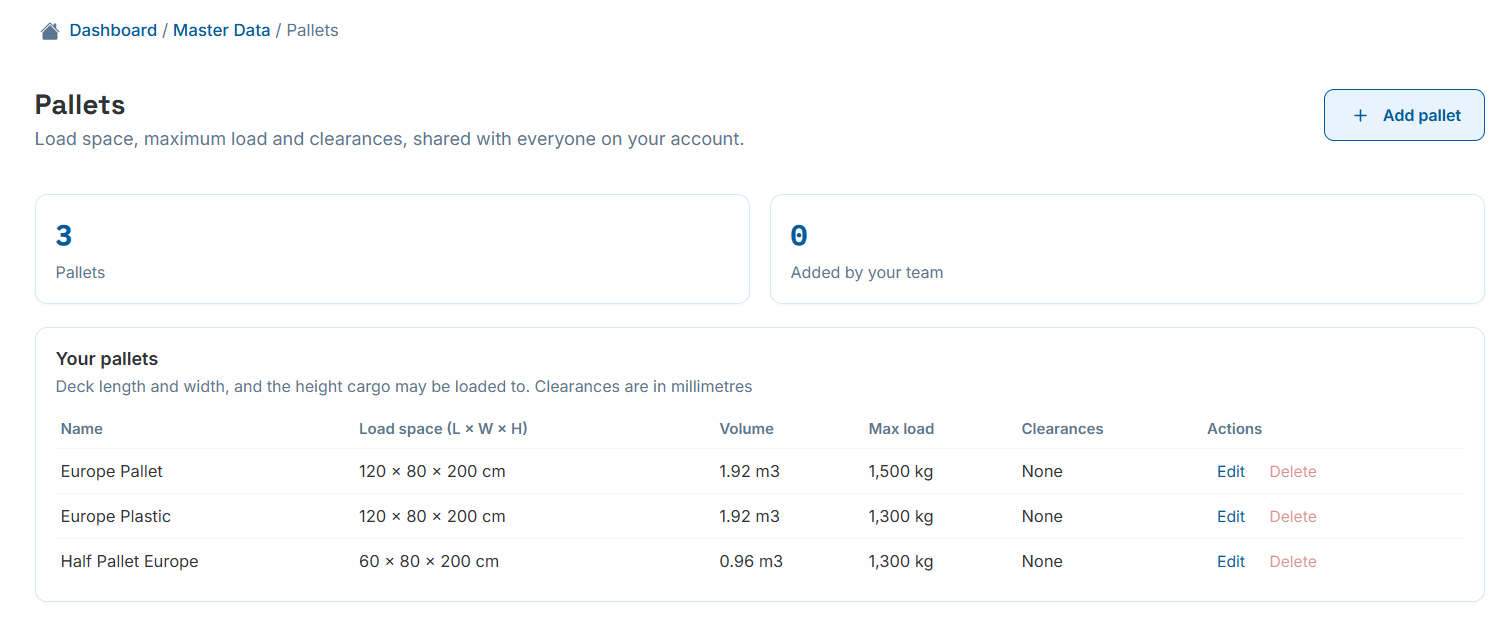
Master Data › Pallets — three pallet types ready to use.
What actually gets modeled: the load space above the deck
Length and width describe the deck footprint; load height is how high cargo may be stacked above it. The pallet's own deck isn't modeled as a solid object, so you enter the height available above it, not the pallet's physical height.
Maximum load is the cargo weight the pallet may carry, not counting the weight of the pallet itself.
- Volume is calculated automatically the moment length, width and load height are entered.
- Use standard sizes for common freight, or add a custom pallet for a one-off program.
- Pallets sit in the same picker as containers and trucks on the calculation screen, so mixed fleets are no extra work.
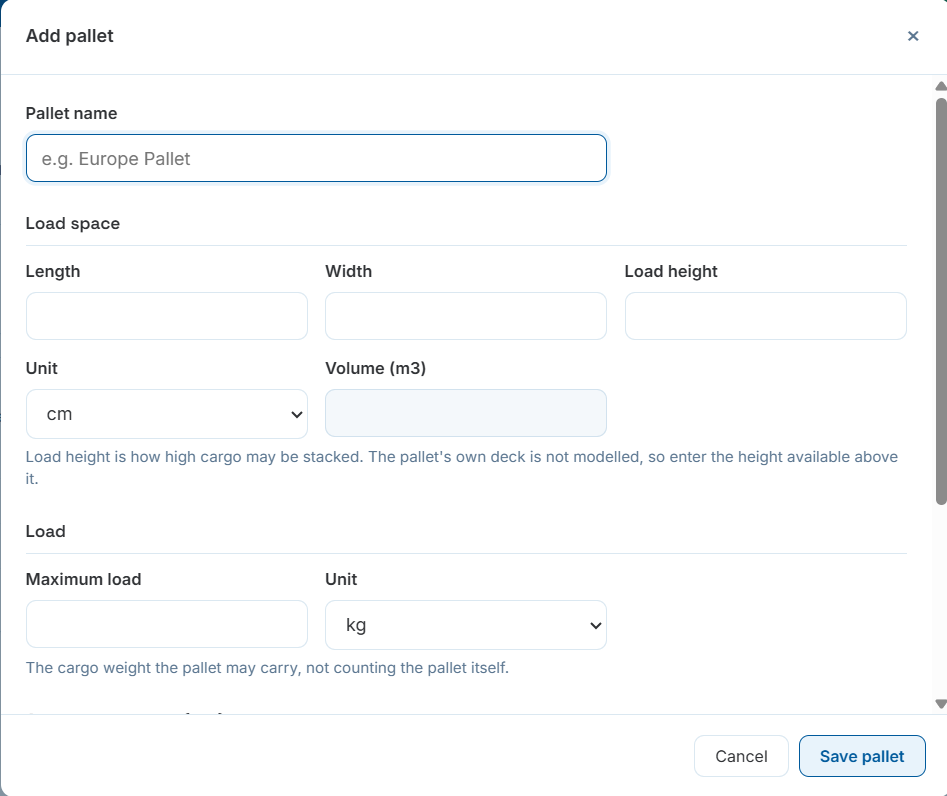
Defining a pallet's load space and maximum load.